
Every purchasing team knows the email. A supplier says an order will arrive two weeks late, or that fewer units will ship than promised.
The hard part is finding out which customer orders, production runs and stock levels depend on that purchase.
Microsoft is pointing AI at exactly that problem. The Procurement Agent in Dynamics 365 Supply Chain Management includes an impact analysis feature, and ERP News covered it on November 3 as part of Microsoft’s agentic ERP push. Microsoft’s documentation still lists it as a production-ready preview, so it is not a finished release yet.
What the agent does with a supplier change
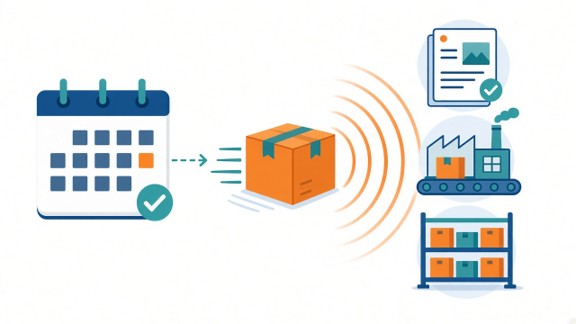
When a supplier proposes a change to a purchase order, the agent checks what that change touches. According to Microsoft’s documentation, it works like this:
- It picks up change requests that arrive by supplier email or through the vendor collaboration module.
- It traces the effect on sales orders, production orders, transfer orders and projected inventory.
- It labels each line change “Has impact” or “No impact”.
- It highlights changes that push stock below a minimum level or into the negative.
The goal is simple. Purchasers can accept harmless changes quickly and spend their time on the ones that matter. When a change has to be accepted, they know right away which colleagues to warn.
There is also a simulation mode to test whether a supplier’s counter-offer, such as an earlier partial shipment or a split delivery, actually fixes the problem.
It can only trace the links your system knows
This is where businesses should slow down. Microsoft says the agent follows markings and pegging, which are the links between a purchase and the orders it is meant to supply. It compares that trail against confirmed incoming supply and projected on-hand stock. With an external planning system, it only considers markings, which are explicit reservations.
So the answer is only as good as those links and your stock numbers. If a purchase is not linked to the customer order it covers, a “No impact” label can be wrong.
Ask about cost too. Microsoft says each run uses Copilot Studio credits, with a fixed charge per run and a variable charge based on the number of line changes. If you point it at a shared mailbox for all vendors, every supplier email about order changes can use credits.
One agent per team is not enough
Spotting the impact is only step one. Someone still has to decide what to do, and that touches several teams.
RELEX, a planning software company, made this point on November 2. Its CEO, Mikko Kärkkäinen, said that giving every function its own AI agent does not create a better-run business if their decisions do not work in sync. RELEX says its platform lets agents across planning, merchandising and operations share context and trace the decisions behind each recommendation.
OMP, a supply chain planning vendor, took a similar approach on November 3 with agents for its planning platform. Each company sets what an agent may decide, execute or escalate, and agents return proposed plan changes for approval.
Practical takeaways
Before you let AI judge supplier changes for you:
- Pick your five most important suppliers and write down how you would find the affected orders today.
- Check that purchases are actually linked to the customer and production orders they supply.
- Clean up delivery dates and stock counts, since the analysis depends on them.
- Decide who gets told when a change has impact, and who can approve the response.
- Run it in simulation on a few past supplier changes first, and ask the vendor what each run costs.
AI that shows the ripple effect of a late delivery is genuinely useful. But it can only see what your system has been told. The cleaner your links and data, the more you can trust the answer.
The next time a supplier moves a date, how long does it take your team to know which customer orders are at risk?
Sources
- Microsoft Learn: Impact analysis overview, Procurement Agent (production-ready preview)
- Microsoft Learn: Manage the downstream impact of PO changes with Procurement Agent impact analysis (release plan)
- ERP News: Microsoft Advances Agentic ERP with New Dynamics 365 Capabilities for Business Operations (Nov 3, 2026)
- RELEX Solutions: RELEX Advances Agentic AI Platform to Orchestrate the Value Chain (Nov 2, 2026)
OMP: OMP releases the UnisonIQ Agent Library and Agent Studio (Nov 3, 2026)